AI Update: What Actually Mattered This Month
July 2026
I try to keep an eye on the Artificial Intelligence space so you don’t have to, and this month there was a lot worth passing along. Here’s my read on what’s happening and what it means for your business.
From chatbots to agents
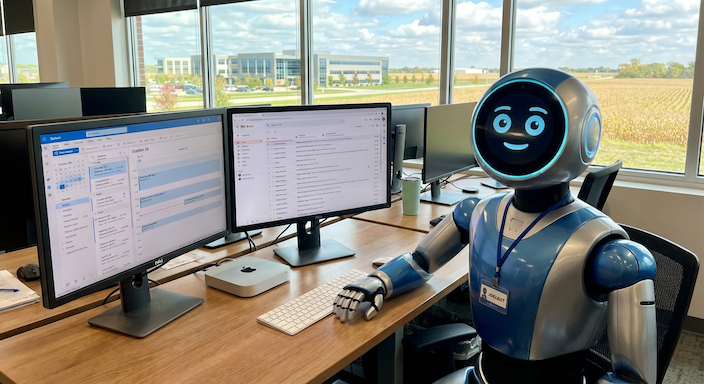
The biggest shift this year isn’t a new chatbot. It’s the move from AI that answers questions to AI that completes work. A chatbot can show you last quarter’s sales numbers. An agent can analyze them, flag your fastest-growing accounts, draft follow-up emails, and put calls on your calendar. All of the major platforms (Microsoft, Anthropic, OpenAI, Google) are now racing to build these“do the work” tools, and they’re getting good enough for real business use. If you’ve dismissed AI as a fancy autocomplete, it’s worth a second look.
New models and the government stepping in
Two major releases dominated the headlines: Anthropic’s Claude Fable 5 and OpenAI’s GPT-5.6. What made them notable wasn’t just capability. It was that the U.S. government held both up. Fable 5 launched in June and was pulled offline days later under export controls after concerns about its ability to find security vulnerabilities; it came back July 1 after government approval. GPT-5.6 spent weeks limited to a short list of government-approved organizations before its broader release on July 9. That’s a first: Washington effectively deciding when the most capable AI models can reach the public.
The framework behind this is the June 2 executive order, “Promoting Advanced AI Innovation and Security,” which set up a pre-release review process for advanced AI systems. There’s no mandatory licensing yet, but the practical effect is clear: the most powerful models now get a government look before wide release. Expect more of this, not less.
Two other developments worth knowing:
Grok is back on the radar. Elon Musk’s SpaceXAI released Grok 4.5 in early July, positioned squarely at business and coding work rather than social media chatter, at a fraction of the cost of comparable models. Whatever you think of the company, it’s now a serious option in the mix.
Open source is closing the gap. Models you can download and run yourself, like GLM-5.2,DeepSeek V4, MiniMax M3, and Moonshot’s massive new Kimi K3, are now benchmarking near the top commercial models at much lower cost. Most of the leaders are coming out of Chinese labs, which has its own security and compliance considerations, but the takeaway is that capable AI is getting cheaper and more accessible fast.
Where to start: practical quick wins
You don’t need a data science team to benefit from any of this. For most businesses I work with, the fastest returns come from three places:
1. Email and meeting intelligence with Microsoft 365 Copilot. If you’re already in the Microsoft ecosystem, Copilot summarizes long email threads, drafts responses, and turns meetings into notes and action items automatically. It’s the lowest-friction starting point there is.
2. Use-case agents. Pick one well-defined, repetitive workflow, such as customer inquiries, proposal drafting, HR policy questions, or invoice processing, and point an agent at it. Companies that start with one clear use case and measure results are the ones seeing real ROI. The ones that “try AI”with no defined goal are the ones abandoning projects.
3. Workflow automation. Zapier remains the easiest way to connect apps and kill manual data entry between systems. If you’re a Microsoft shop, Power Automate and AI Builder do the same inside the M365 ecosystem, often at no extra cost with licensing you already have. Example: a customer fills out a web form, and the system creates the CRM record, sends the welcome email, and notifies your sales team without anyone touching it.
The part nobody wants to talk about: risk
Two risks are showing up in almost every business I look at:
Data leakage. Employees pasting customer data, financials, or contracts into free public AI tools, where that data may be stored or used for training. Most owners have no idea it’s happening until there’s a problem.
Shadow AI. AI features embedded in software you already use, quietly processing your data through third parties you’ve never vetted. A majority of AI-enabled business tools don’t even disclose who those third-party processors are.
The answer to both is the same, and it’s not “ban AI” (your employees will just use it on their phones):
• Put an AI usage policy in place. Define which tools are approved, what data is off-limits, and who’s responsible. This is a one-to-two page document, not a legal odyssey, but you need it in writing before there’s an incident.
• Add AI monitoring. Tools like Acronis’s Gen AI Protection give you visibility into which AI services are being used across your organization and can block sensitive data from leaving. Policy tells people the rules; monitoring tells you whether they’re being followed.
Bottom line
AI is moving from novelty to infrastructure, and the government’s involvement this summer is proof of how seriously it’s being taken. You don’t need to chase every headline, but you do need a starting point (Copilot and one automated workflow), and you need guardrails (AI Policy and monitoring) before your team adopts these tools on their own, because they will.
If you’d like to talk through where AI makes sense for your business, or if you want help getting a usage policy and monitoring in place, please reach out.
Joel
ITS