
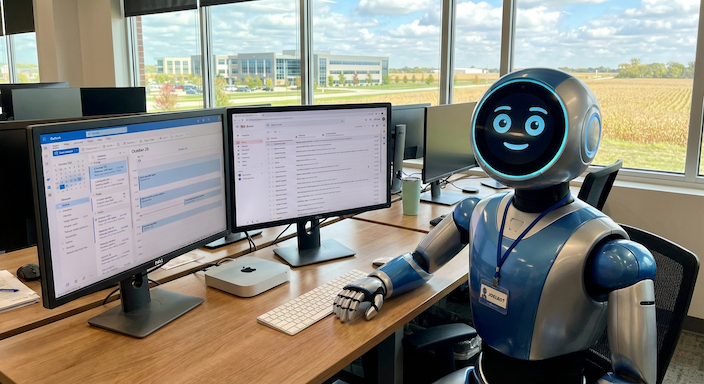
Agents were the big story again this month, and they keep getting better and cheaper. A few large open models also came out that you can run on your own equipment, if you have the hardware for it.
What the agents can do now
Elon Musk announced that Grok Bot can now make phone calls for you. You tell it who to call and what you need, and it sends you a summary afterward. Grok Bot comes from SpaceXAI. It is unclear who has access to this at this point. Grok Bot runs on its own computer in the cloud and uses websites, cloud services, and now the phone, the way a person would.
OpenAI released GPT-6.1 Terra on October 26. It’s designed for computer work like clicking through websites and filling out forms, and it costs about half as much to run as the last version. If you’re trying ChatGPT Work, this is the model I’d use.
Anthropic’s Claude does the same kind of work with your files and connected apps. Anthropic has also started merging its Cowork feature into the regular Claude app, so you don’t have to switch modes to use it. I have found this to be somewhat confusing and frustrating at times.
Anthropic filed to go public on Nasdaq, reporting $16.3 billion in revenue for the first half of the year. The large loss in the filing is mostly an accounting entry tied to the company’s rising valuation. It doesn’t change how you’d use Claude, but it shows how much money is going into these tools.
Open models are improving, but need real hardware
An open model is one you can download and run on your own equipment, so your data stays in the building. Meta released Muse Spark Open on October 15 and says it’s the most capable open model from a U.S. company so far. Mistral released an improved Mistral Large 4 on October 29, and Nvidia put out an open speech model for transcribing recordings.
The problem is size. These models are hundreds of gigabytes and won’t run on a typical office PC. Meta says its model runs on two of Apple’s new high-end Mac Studios, and Mistral’s needs four data center GPUs. That’s a significant purchase for most businesses.
An open-source project called InferSSD tries to get around this by reading parts of the model from a fast SSD instead of loading it all into memory. It works, but it’s slow (a few words per second at best) and doesn’t run on Windows yet. Between projects like this and the new Macs Apple released in August, running AI on your own equipment is getting more realistic. This is especially obtainable with smaller models, but not yet realistic for most SMBs to run larger models on premise.
Where to start
None of this means you need to chase the latest model. For most of the businesses I work with, I’d start here:
- Microsoft 365 Copilot for email and meetings. If you’re already on Microsoft 365, Copilot can summarize long email threads, draft replies, and write up notes and action items from Teams meetings. It’s the easiest place to start.
- One agent for one job. Try the agent built into something you already pay for, whether that’s Copilot, ChatGPT Work, or Claude. Pick one repetitive task, like following up on appointments, and see how it does before adding more.
- Workflow automation. Zapier is still the easiest way to connect apps. If you’re a Microsoft shop, Power Automate and AI Builder do the same thing inside Microsoft 365, and you may already be licensed for them. For example, AI Builder can read vendor invoices that come in by email and enter them into your accounting system.
What to watch out for
As these tools get more capable, the risks grow with them. I follow these rules.
Agents need their own accounts. Don’t sign an agent into your own Microsoft 365, CRM, or QuickBooks account. Give it its own mailbox and logins with access to only what that job needs, so the logs show what the agent did. With Grok Bot, every bot on an account shares the same computer and logins, so keeping them apart takes separate accounts.
Data leakage. Employees are still pasting customer information, financials, and contracts into AI tools that haven’t been approved. That data can be stored or used to train the tool.
Shadow AI. It’s now easy for an employee to download a small model or connect an agent to a shared drive without telling anyone. Most owners don’t find out until there’s a problem.
Telling people not to use AI doesn’t work. What I recommend is the same as always:
- An AI usage policy. Write down which tools are approved, what data can’t go into them, and which accounts agents are allowed to use. It only needs to be a page or two.
- AI monitoring. Acronis Gen AI Protection shows you which AI tools are being used across your company and can block sensitive data from being sent to them. The policy tells people what’s allowed, and monitoring tells you whether they’re following it.
Bottom line
The tools will continue to improve but best practices have not changed. Start with one task in software you already own, and get a policy and monitoring in place before your staff start using agents on their own.
If you’d like help with any of this, pleas reach out.
Joel
ITS